Chapter 12. Operations & Maintenance
Day-2 operations, monitoring, incident response, and lifecycle management for the authorization system
Day-2 operations — the ongoing management of the authorization system after initial deployment — represent the longest and most operationally intensive phase of the system lifecycle. A well-designed authorization system that is poorly operated will gradually degrade in both security posture and performance as role proliferation accumulates, stale bindings pile up, and monitoring gaps go undetected. This chapter provides the operational procedures, monitoring specifications, incident response playbooks, and maintenance schedules required to keep the authorization system secure, performant, and compliant over its operational lifetime.
12.1 Operations Monitoring Dashboard
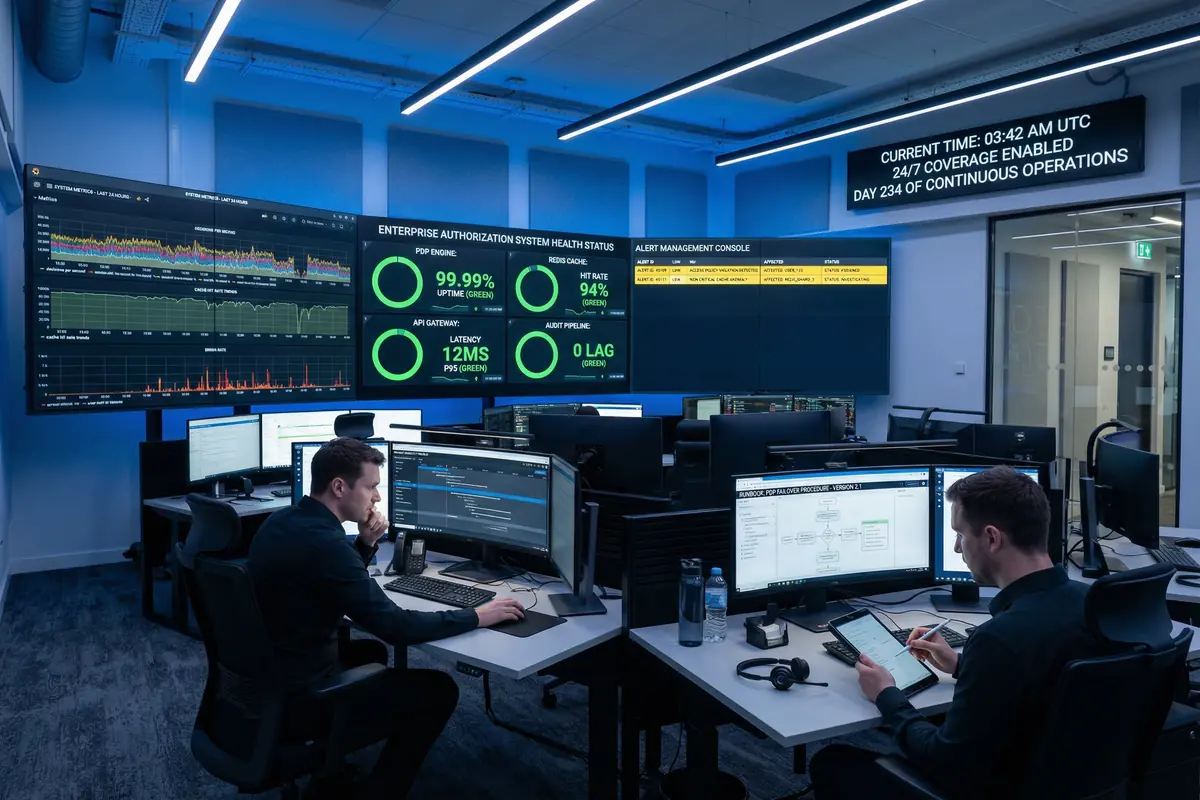
Figure 12.1: Authorization System 24/7 Operations Center — SOC monitoring setup showing PDP Engine at 99.99% uptime, Redis Cache hit rate 94%, API Gateway latency 12ms p95, Audit Pipeline at 0 lag, with real-time Grafana metrics, alert management console, and analyst workstations for continuous monitoring
12.2 Key Operational Metrics & SLOs
The authorization system must be monitored against a defined set of Service Level Objectives (SLOs) that reflect the system's operational health from both a performance and security perspective. The following table defines the key operational metrics, their SLO targets, alert thresholds, and the on-call response priority for each metric breach.
| Metric | SLO Target | Warning Threshold | Critical Threshold | On-Call Priority |
|---|---|---|---|---|
| PDP Availability | 99.99% per month | <99.99% (any 5-min window) | <99.9% (any 5-min window) | P1 — Immediate page |
| Decision Latency p99 | <50ms at normal load | >50ms p99 for 2 consecutive minutes | >100ms p99 for 1 minute | P2 — 15-min response |
| Cache Hit Rate | >90% | <90% for 5 consecutive minutes | <70% for 2 consecutive minutes | P2 — 15-min response |
| Audit Event Lag | <60 seconds end-to-end | >60s lag for 3 consecutive minutes | >5 min lag or consumer stopped | P1 — Immediate page |
| Error Rate | <0.1% of decisions | >0.1% error rate for 2 minutes | >1% error rate for 1 minute | P1 — Immediate page |
| IdP Sync Lag | <15 minutes | >15 min since last successful sync | >60 min since last successful sync | P2 — 15-min response |
| Orphan Account Count | 0 accounts | Any orphan account detected | Orphan account active >48 hours | P2 — 15-min response |
| SoD Violation Count | 0 active violations | Any new SoD violation detected | SoD violation unresolved >24 hours | P1 — Immediate page |
12.3 Maintenance Schedule
Regular maintenance activities are essential for preventing the gradual degradation of authorization system security and performance. The following maintenance schedule defines the recurring activities, their frequency, responsible team, and estimated effort. All maintenance activities should be tracked in the ITSM platform and completed within the defined maintenance windows.
| Maintenance Activity | Frequency | Responsible Team | Est. Effort | Notes |
|---|---|---|---|---|
| Periodic Access Review | Quarterly (or monthly for privileged roles) | IAM Team + Business Owners | 2–5 days (depends on user count) | Use Access Review Planner calculator (Chapter 9) to estimate effort |
| Role Catalog Cleanup | Semi-annually | IAM Team | 1–2 days | Remove unused roles; merge duplicate roles; update role descriptions |
| Security Patch Application | Monthly (critical patches: within 72h) | Platform Engineering | 2–4 hours per patch cycle | Test in staging before production; maintain rollback plan |
| Penetration Test | Annually (or after major changes) | Security Team + External Pentesters | 1–2 weeks | Include authorization-specific test cases; remediate all Critical/High findings |
| Disaster Recovery Drill | Semi-annually | Platform Engineering + IAM Team | 4–8 hours | Test full failover; verify RTO/RPO; update runbooks based on drill findings |
| Compliance Control Review | Annually (or per audit cycle) | Security & Compliance Team | 3–5 days | Map controls to current compliance requirements; identify gaps; update control evidence |
| Audit Log Retention Review | Annually | Security Team | 1 day | Verify retention meets compliance requirements; archive or purge expired logs per policy |
| Certificate Renewal | Before expiry (cert-manager automates; manual check quarterly) | Platform Engineering | 1–2 hours | Monitor certificate expiry; automate renewal with cert-manager; alert 30 days before expiry |
12.4 Incident Response Playbooks
| Incident Type | Priority | Immediate Actions (0–15 min) | Investigation (15–60 min) | Resolution & Post-Incident |
|---|---|---|---|---|
| PDP Engine Outage | P1 | Page on-call; check pod status; verify Redis connectivity; check recent deployments | Review pod logs; check resource limits; verify network policies; check dependency health | Restart pods if OOMKilled; rollback if recent deployment; post-incident review within 48h |
| Privilege Escalation Detected | P1 | Immediately revoke affected user's sessions and bindings; notify CISO; preserve evidence | Trace escalation path in audit logs; identify attack vector; assess scope of unauthorized access | Patch vulnerability; conduct forensic review; notify affected parties per breach policy; update controls |
| Audit Log Gap Detected | P1 | Alert security team; check Kafka consumer status; verify audit pipeline health | Determine gap duration and scope; check for tampering indicators; review pipeline logs | Restore pipeline; document gap for compliance; assess regulatory notification requirements |
| High Latency (SLA Breach) | P2 | Check PDP metrics; verify Redis hit rate; check for traffic spike | Profile slow decisions; check for policy complexity increase; review recent changes | Scale PDP if needed; optimize policies; tune cache TTL; update capacity plan |